[TypeScript] Interface vs Type
들어가기전
자바스크립트는 [1,2,3]+false라고 입력하면, 1,2,3,4false를 출력하는 것처럼 개발자를 이해하려는 언어이지만, 코드를 실행하기 전에 최소화 할 수 있는 에러를 막아주진 않는다는 단점이 있다.
기존에 C, Java 등의 강형언어를 사용했다면, 타입스크립트가 프로그래밍 언어라고 했을 때, 컴파일러를 떠올릴 수 있다. 하지만 코드가 컴파일러에 의해 0101이나 어셈블리 코드로 변환되는 것과 달리 타입스크립트는 자바스크립트로 변환된다.
타입스크립트를 자바스크립트로 변환하기 전에 타입스크립트에서 에러가 있다면, 자바스크립트로 변환하지 않는다. 타입스크립트가 가지고 있는 타입 시스템 덕분에 코드를 실행하기 전에 최소화 할 수 있는 에러는 최소한 막을 수 있게 되었다.
Interface vs type
type
type을 사용하는 예시는 다음과 같다.
1
2
3
4
5
6
7
8
9
10
11
12

type name = tring;

type Words = {
    [key: string] : string
}

type Person = {
    name: string;
    phone: number;
}

type color = "blue" | "red" | "black";
type은 object의 형태를 묘사하거나, 특정 값만 가지도록 제한이 가능하다. 또한 타입 alias를 만드는 경우 등 interface보다 다양한 형태로 정의할 수 있다.
Interface
object 모양을 설명하는 또 다른 방법은 interface이다. interface는 오브젝트의 모양을 설명할 때만 사용할 수 있다.
1
2
3
4
5
6
7
8

interface Person {
    name: string;
    phone: number;
}

interface Words {
    [key: string]: string;
}
interface는 오직 객체의 구조만 정의 가능하고, 클래스와 유사한 문법 구조를 가지고 있다.
interface와 type은 상속할 수 있다.
type - 인터섹션(&) 사용
1
2
3
4
5
6
7
8
9
10
11
12
13
14

type Person = {
    name: string,
    phoneNumber: string,
}

type Admin = Person & {
    role: string
}

const john : Admin = {
    name: "john",
    phoneNumber: '010-1111-1111',
    role: "PR-2"
}
만약, 상속받은 타입을 명시하지 않으면 아래와 같은 에러가 발생한다.
Type '{ role: string; }' is not assignable to type 'Admin'. Type '{ role: string; }' is missing the following properties from type 'Person': name, phoneNumber
Interface - extends 키워드 사용
1
2
3
4
5
6
7
8
9
10
11
12
13
14

interface Person {
    name: string,
    phoneNumber: string,
}

interface Employee extends Person {
    role : string
}

const john : Employee = {
    name: "john",
    phoneNumber: '010-1111-1111',
    role: "PR-2"
}
Interface는 클래스와 닮아있어서 extends 키워드를 사용해서 타입을 확장할 수 있다. 마찬가지로 상속받은 타입을 모두 명시하지 않으면 아래와 같은 에러가 발생한다.
Type '{ role: string; }' is missing the following properties from type 'Employee': name, phoneNumberts(2739)
interface 최적화
타입스크립트는 다른 언어들과 다르게 자바스크립트로 컴파일 되는 특징이 있다. 위에서 작성한 코드가 자바스크립트도 어떻게 컴파일 되는지 보면 아래와 같다.
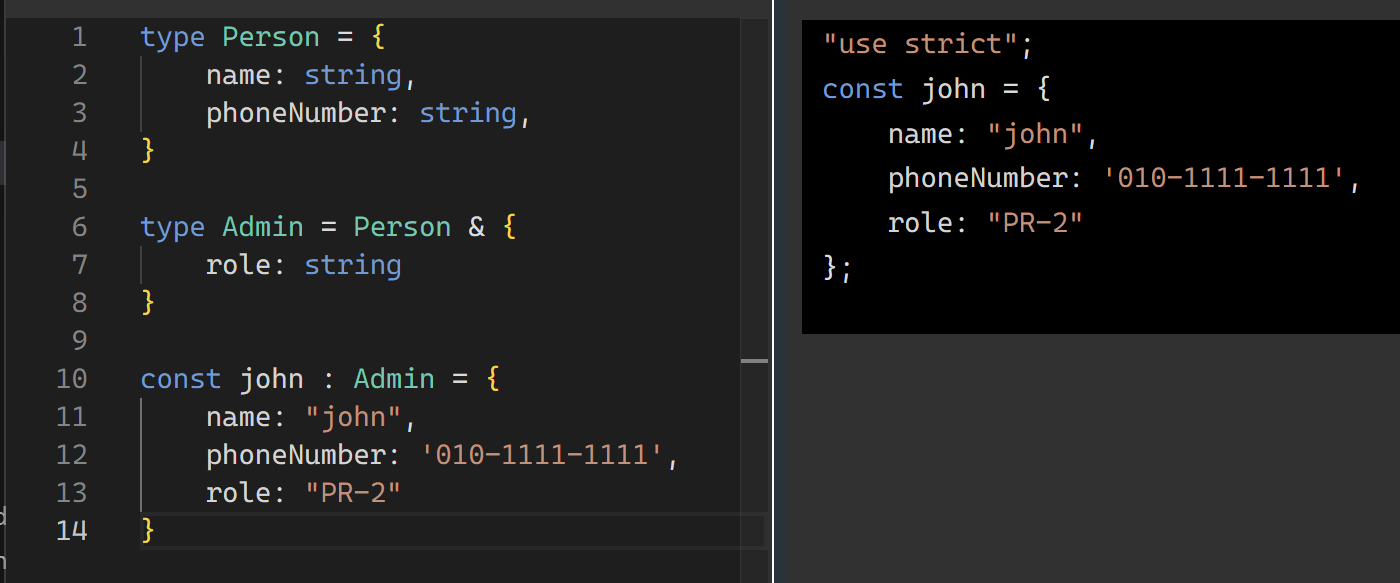
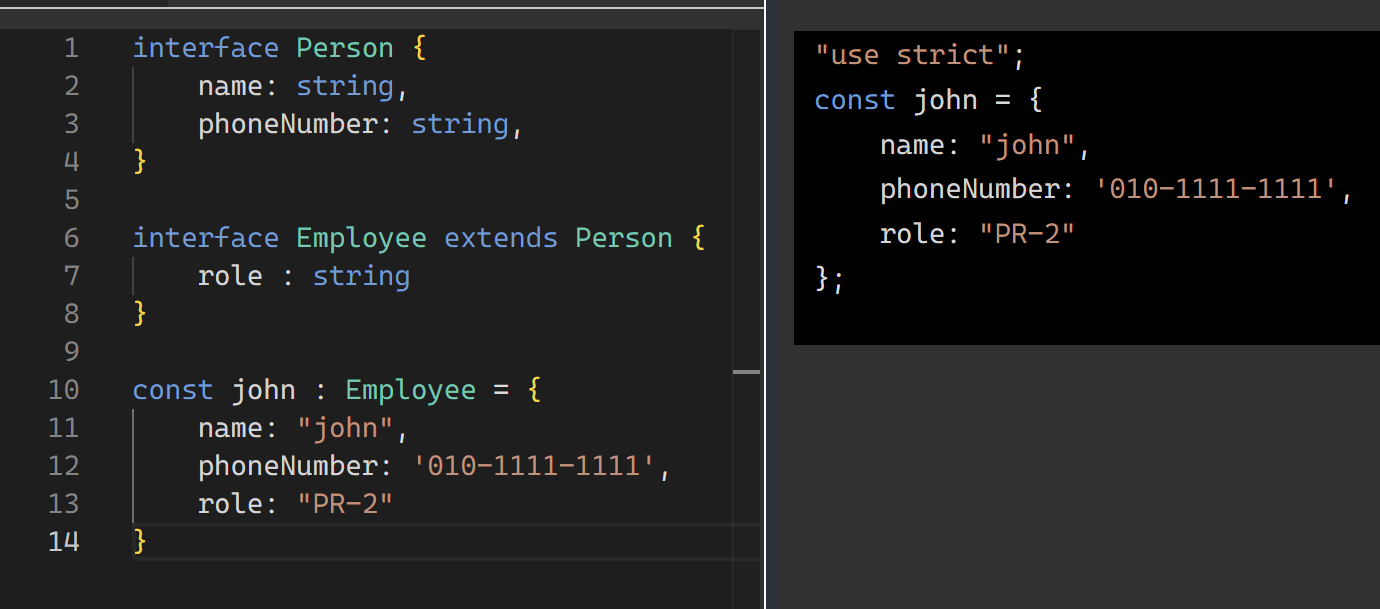
위의 사진과 같이 interface, type 키워드를 이용한 코드를 자바스크립트로 컴파일 되지 않는다. 이 특징을 활용하여 번들 크기를 최적화할 수 있다. Abstract Class 사용 하는 예를 들어서 설명하면 아래와 같다.
1
2
3
4
5
6
7
8
9
10
11
12
13

abstract class Person {
    constructor(
        protected firstName : string,
        protected lastName: string,
    ) {}
    abstract getFullName() : string
}

class Admin extends Person {
    getFullName() {
        return `${this.firstName} ${this.lastName}`
    }
}
Person 추상화 클래스를 상속받은 Admin 클래스는 Person 클래스에 명시된 getFullName 메소드를 구현해야 하는 의무를 가진다. 이 때, 이 모든 코드는 자바스크립트로 컴파일 된다.
<img width=”80%” height=”auto” style=”border-radius: 10px”alt=”dev_02_3” src=”../../assets/images/development/dev_02_3.png” />
하지만 이 역할을 interface와 implements라는 키워드를 통해서 구현 가능하다.
1
2
3
4
5
6
7
8
9
10
11
12
13
14
15

interface Person {
    firstName : string;
    lastName: string;
    getFullName() :string
}

class Admin implements Person {
    constructor(
        public firstName : string,
        public lastName: string
    ) {}
    getFullName() {
        return `${this.firstName} ${this.lastName}`
    }
}
abstract 키워드를 사용하지 않고 implements를 사용한다면 JavaScript로 컴파일될 때 interface 부분은 제거되어 파일 크기가 줄어든다.
<img width=”80%” height=”auto” style=”border-radius: 10px”alt=”dev_02_4” src=”../../assets/images/development/dev_02_4.png” />
사진에서 보이는 것처럼 interface 키워드를 사용한 코드를 자바 스크립트로 컴파일 되지 않는다.
interface를 사용하면 코드가 가벼워 질 수 있는 장점이 있지만 public 이외의 private, protected 키워드를 사용하지 못한다는 단점이 있다.
결론
Interface와 Type 모두 TypeScript의 강력한 타입 시스템을 구성하는 핵심 요소다. 각각의 특징을 이해하고 상황에 맞게 선택하는 것이 중요하다. TypeScript 팀에서는 일반적으로 Interface를 먼저 고려하고, Interface로 표현할 수 없는 경우에 Type을 사용하라고 권장한다. 하지만 팀의 코딩 스타일과 프로젝트 요구사항에 따라 일관성 있게 사용하면 될 것 같다!